Writing
Cloud Run: Google Cloud Text-to-Speech API
16 March 2020Updated 14 October 20267 min read
This article deploys a Flask web application to Cloud Run that calls the Cloud Text-to-Speech API. A user types text, picks a language and a voice gender, and downloads the speech as an MP3 file.
This article shows how to deploy an application to Cloud Run that calls a Google Cloud API. The application is a small Flask web app that sends text to the Cloud Text-to-Speech API and returns the speech as an audio file. We package the app as a container and deploy it on Cloud Run. The original code is open source at https://github.com/dvdbisong/text-to-speech-cloud-run. The code on this page is the current version.
Cloud Text-to-Speech
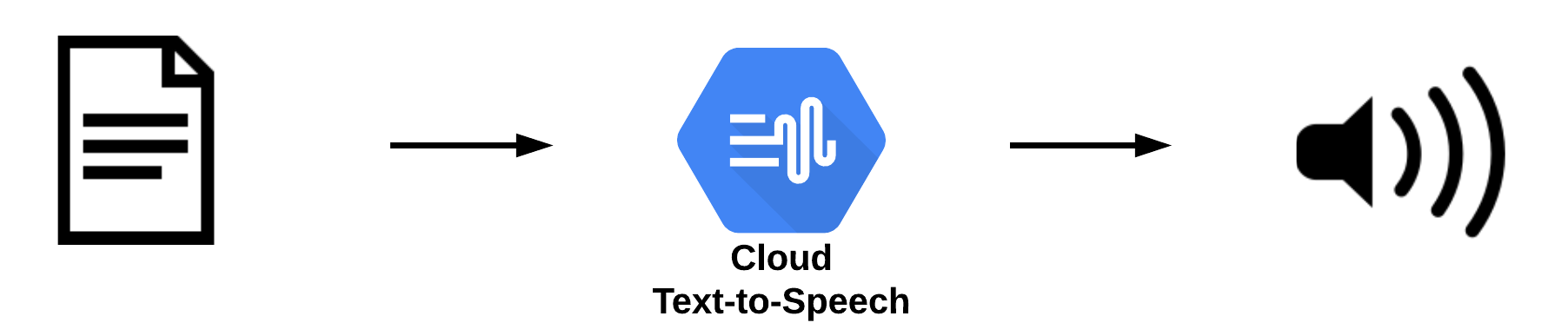
Cloud Text-to-Speech is an API that converts text into natural-sounding synthetic speech. You send the text in an API call and receive playable audio in the response. The API offers several types of voices:
| Voice type | Intended for |
|---|---|
| Chirp 3: HD | Conversational agents |
| Studio | Media such as narration, discussions and interviews |
| Neural2 | General purpose |
| WaveNet | General purpose |
| Standard | Cost-efficient speech |
The supported voices and languages page lists every voice and its launch stage. Our application sends a language code and a preferred gender without a voice name. The API then chooses a voice that matches. The gender is a preference. If no voice of that gender exists for the language, the API substitutes a voice of a different gender.
The Architecture
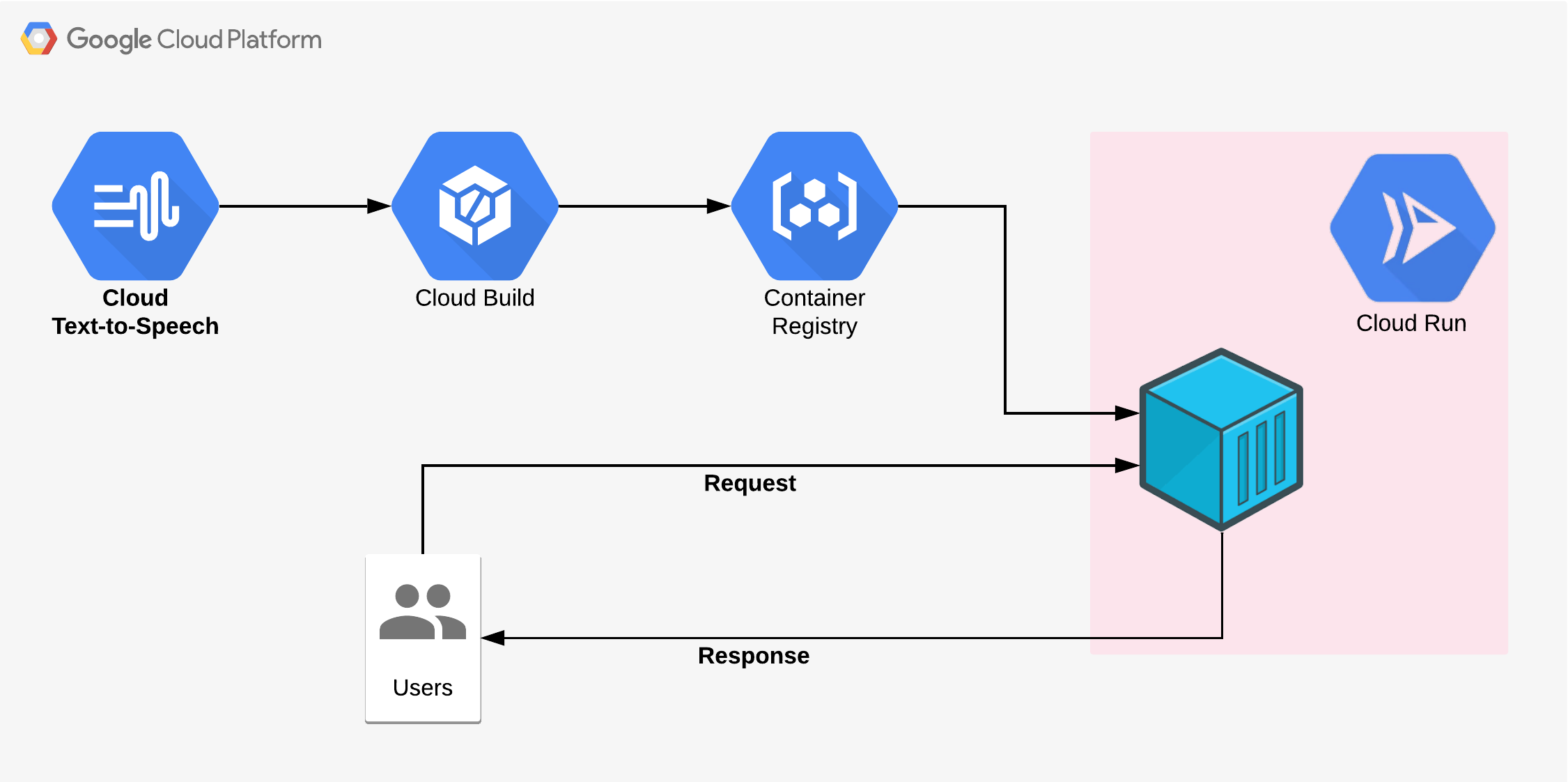
Cloud Build builds the container image from the source code. The image is stored in Artifact Registry, and Cloud Run runs it as a service. Users send requests to the service, and the service calls the Cloud Text-to-Speech API. Container Registry, which held the image in 2020, shut down on March 18, 2025.
The Application Code
The application has three parts:
app.pyholds the Flask routes and the calls to the Cloud Text-to-Speech API.forms.pyholds the web form.templates/main.htmlrenders the form with Bootstrap.
Here is app.py. The first time the page loads, the app asks the API for the list of voices and keeps their language codes for the language menu. When the user submits the form, the app sends the text to the API and returns the MP3 audio as a download.
pythonimport io import os from functools import lru_cache from flask import Flask, render_template, send_file from flask_bootstrap import Bootstrap5 from google.cloud import texttospeech from forms import TextToSpeechForm app = Flask(__name__) app.config["SECRET_KEY"] = os.environ["SECRET_KEY"] bootstrap = Bootstrap5(app) # The client finds credentials with Application Default Credentials. # On Cloud Run, these come from the service's identity. client = texttospeech.TextToSpeechClient() GENDERS = { "male": texttospeech.SsmlVoiceGender.MALE, "female": texttospeech.SsmlVoiceGender.FEMALE, } @lru_cache(maxsize=1) def language_codes(): """Return the sorted list of language codes that have at least one voice.""" voices = client.list_voices().voices return sorted({code for voice in voices for code in voice.language_codes}) @app.route("/", methods=["GET", "POST"]) def home(): """Show the form, and return an MP3 file when the form is submitted.""" form = TextToSpeechForm() form.language.choices = language_codes() if form.validate_on_submit(): response = client.synthesize_speech( input=texttospeech.SynthesisInput(text=form.text.data), voice=texttospeech.VoiceSelectionParams( language_code=form.language.data, ssml_gender=GENDERS[form.gender.data], ), audio_config=texttospeech.AudioConfig( audio_encoding=texttospeech.AudioEncoding.MP3 ), ) return send_file( io.BytesIO(response.audio_content), mimetype="audio/mpeg", as_attachment=True, download_name="output.mp3", ) return render_template("main.html", form=form) if __name__ == "__main__": app.run(debug=True, host="0.0.0.0", port=int(os.environ.get("PORT", 8080)))
Here is forms.py. It uses Flask-WTF to define a text box, a language menu, a gender menu and a submit button.
pythonfrom flask_wtf import FlaskForm from wtforms import SelectField, SubmitField, TextAreaField from wtforms.validators import DataRequired class TextToSpeechForm(FlaskForm): """Form that collects the text, language and voice gender.""" text = TextAreaField("Input Text", validators=[DataRequired()]) language = SelectField("Input Language", default="en-US") gender = SelectField( "Voice Gender", choices=[("male", "Male"), ("female", "Female")], default="male", ) submit = SubmitField("Convert Text to Speech")
Here is templates/main.html. The 2020 version used the Flask-Bootstrap package, which has had no release since 2017. This version uses Bootstrap-Flask, which renders the form with Bootstrap 5.
html<!doctype html> <html lang="en"> <head> <meta charset="utf-8"> <meta name="viewport" content="width=device-width, initial-scale=1"> <title>Text to Speech Application</title> {{ bootstrap.load_css() }} </head> <body> {% from 'bootstrap5/form.html' import render_form %} <main class="container py-4"> <h1 class="text-center mb-4">Google Cloud Run: Text to Speech Application</h1> {{ render_form(form) }} </main> {{ bootstrap.load_js() }} </body> </html>
The file requirements.txt lists the Python packages:
textFlask==3.1.3 Flask-WTF==1.3.0 Bootstrap-Flask==2.6.0 google-cloud-texttospeech==2.38.0 gunicorn==26.2.0
Credentials
The 2020 version of this app created a service account key, downloaded it as a JSON file and copied the file into the container. Today the app gets its credentials through Application Default Credentials, which the Cloud Client Libraries use. On Cloud Run, these credentials come from the identity of the service. When you do not choose a service account, Cloud Run uses the Compute Engine default service account.
To run the app on your own machine, sign in once with your user account. Cloud Shell already has these credentials.
bashgcloud auth application-default login
The Dockerfile
The Dockerfile builds the image from the official Python image, installs the packages and starts the app with the gunicorn web server. Cloud Run tells the container which port to listen on through the PORT environment variable.
dockerfile# Use the official lightweight Python image. FROM python:3.12-slim # Send Python output straight to the logs. ENV PYTHONUNBUFFERED=1 # Copy local code to the container image. WORKDIR /app COPY . . # Install production dependencies. RUN pip install --no-cache-dir -r requirements.txt # Run the web service on container startup with gunicorn. # Cloud Run sets the PORT environment variable. CMD exec gunicorn --bind :$PORT --workers 1 --threads 8 --timeout 0 app:app
Deploy to Cloud Run
In 2020, we built the image with gcloud builds submit, pushed it to Container Registry and deployed it with gcloud run deploy --image. Now a single command builds the image from the source folder and deploys it. Cloud Build uses the Dockerfile in the folder and stores the image in an Artifact Registry repository named cloud-run-source-deploy.
Open Cloud Shell and create a folder named text-speech that holds app.py, forms.py, templates/main.html, requirements.txt and Dockerfile. Then set your project. Replace PROJECT_ID with your Google Cloud project ID. Then enable the Cloud Run Admin, Cloud Build and Cloud Text-to-Speech APIs.
bashgcloud config set project PROJECT_ID gcloud services enable run.googleapis.com cloudbuild.googleapis.com texttospeech.googleapis.com
Cloud Build uses the Compute Engine default service account to build source code. Grant that account the Cloud Run Builder role. Replace PROJECT_NUMBER with your project number.
bashgcloud projects add-iam-policy-binding PROJECT_ID \ --member=serviceAccount:PROJECT_NUMBER-compute@developer.gserviceaccount.com \ --role=roles/run.builder
Flask-WTF needs a secret key to protect the form. Generate a random key and keep it in a shell variable.
bashSECRET_KEY=$(python3 -c "import secrets; print(secrets.token_hex(32))")
From the text-speech folder, deploy the service. The --allow-unauthenticated flag lets anyone on the internet open the app.
bashgcloud run deploy text-speech \ --source . \ --region us-central1 \ --set-env-vars SECRET_KEY=$SECRET_KEY \ --allow-unauthenticated
If the command asks to enable the Artifact Registry API or to create a repository, answer y. When the deployment finishes, the command prints the service URL.
The Application
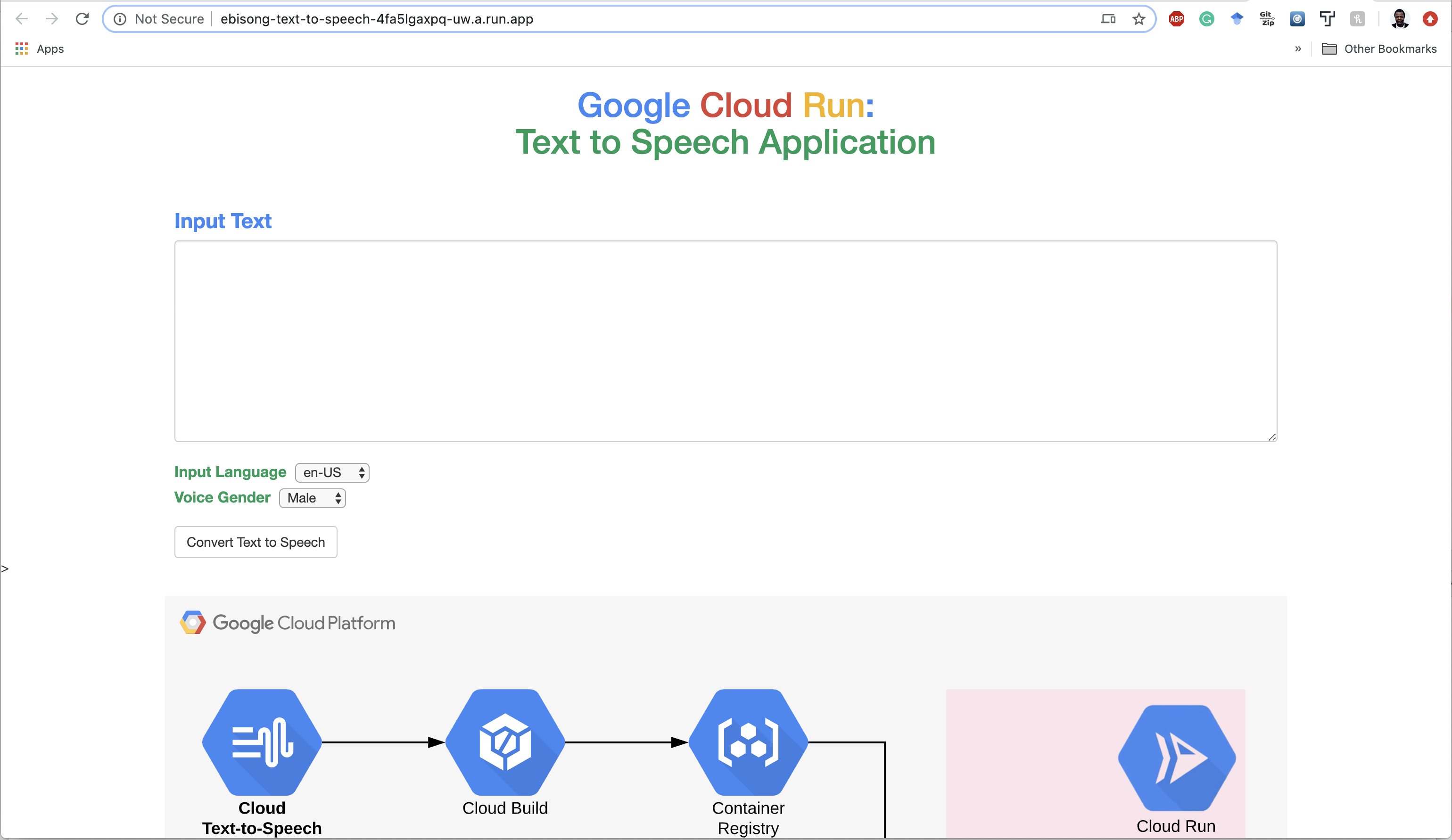
Open the service URL in a browser. Type some text, choose a language and a voice gender, and click Convert Text to Speech. The browser downloads the speech as output.mp3.
Clean Up
When you no longer need the app, delete the service and the repository that holds its images.
bashgcloud run services delete text-speech --region us-central1 gcloud artifacts repositories delete cloud-run-source-deploy --location=us-central1
Conclusion
This article deployed a Flask application on Cloud Run that calls the Cloud Text-to-Speech API. The same pattern works for other Google Cloud APIs. The app calls the API through a client library, and Cloud Run supplies the credentials through the service identity.

Ekaba Bisong is a Ph.D. researcher at the University of Victoria and the founder of SiliconBlast. More about me